









Remote-Computer-Repair-Services

Request a free 15-minute IT Priorities Call

Remote Computer Repair Services

Remote troubleshooting can help employees with software, email, access and performance problems without waiting for a site visit. Some faults still require onsite work or specialist escalation.

Business-hours remote and scheduled onsite support are available for covered incidents under your selected plan. Standard business hours are Monday–Friday, 8 a.m.–5 p.m. Eastern, excluding holidays. All plans include 24/7 automated monitoring. Leadership adds 24/7 remote Level 1 intake and troubleshooting after activation; higher-level escalation, after-hours coverage and response targets follow your service agreement.

What is Remote Computer Repair?

Remote computer repair means a technician uses an authorized remote connection to investigate a supported computer or application. It can avoid a site visit when the device is online, the remote-access tool works, and the issue is suitable for remote work.

What can remote support investigate?

  • Application errors and installation problems
  • Email, sign-in, and file-access issues
  • Slow performance and configuration problems
  • Printer connections and supported network settings

Some work requires a restart, time away from the device, vendor assistance, or an onsite visit. We confirm the next step based on the problem and your agreement.

Explore business IT support in Raleigh, Cary, Durham, and New York City.

Remote Computer Repair

Computer Problems We Can Investigate

The symptoms help us decide what to investigate. A remote session can address suitable issues on covered systems; it does not guarantee a particular fix or completion time.

Slow Computer Performance

Slow Computer Performance

A slow computer can have several causes, including limited hardware capacity, storage problems, background activity, application requirements, or network delays.

We investigate the affected workflow and available diagnostics. The next step may be a configuration change, vendor escalation, or a separately scoped hardware upgrade.

Virus & Malware Infections

Virus & Malware Infections

Unexpected pop-ups, suspicious sign-ins, or encrypted files need prompt reporting through your agreed support channel.

Routine remote repair may not be appropriate during a suspected compromise. Containment, investigation, rebuilding, and recovery depend on the incident and agreed scope. No tool or cleanup can guarantee protection from every future attack.

Review our cybersecurity services.

Software Errors & Crashes

Software Errors & Crashes

We investigate errors, crashes, compatibility, and configuration on supported applications.

Some fixes depend on software updates, the application vendor, licensing, or changes outside your support scope. We identify the next step when another party needs to help.

Email Issues

Email Issues

We investigate sign-in, configuration, and synchronization problems in supported email systems.

Account permissions, licensing, provider outages, or a suspected compromise can affect the resolution path. Tell us which users and devices are affected.

Printer & Connectivity Problems

Printer & Connectivity Problems

Printer drivers, queues, and some connection settings can be investigated remotely when the devices are reachable.

Paper jams, cabling, failed hardware, and some Wi-Fi issues need someone onsite. Physical work or replacement equipment may require separate scope.

System Crashes & Boot Errors

System Crashes & Boot Errors

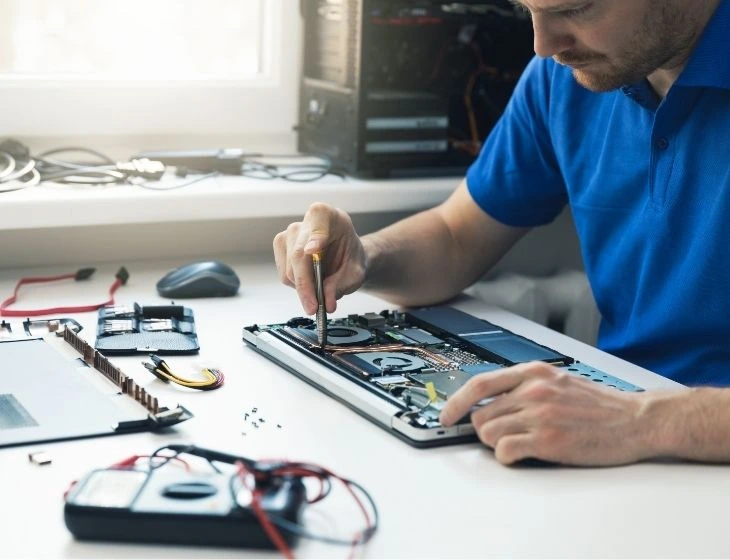
If a computer cannot start or connect, a normal remote session may not be possible. We assess the symptoms and arrange the appropriate next step, which may involve onsite support, hardware service, or recovery work.

Our Remote Computer Repair Services

Remote work is part of an agreed support scope, not a promise to repair every device or application.

Software and device troubleshooting

Investigate supported applications, operating-system errors, approved updates, and configuration issues. Hardware limitations or unsupported software may need a different approach.

Security incident triage

Assess reported symptoms and coordinate the response covered by your agreement. Major remediation, forensic investigation, and rebuilding may require separate authorization and scope.

Backup and recovery assistance

Review available recovery options for protected systems. Recovery depends on usable backups, retention, the affected data, and the incident. See our backup and recovery approach.

Ongoing business support

Managed IT services can combine remote help, monitoring, and scheduled onsite work. Compare published plan coverage and confirm supported systems, hours, response targets, and exclusions in your agreement.

Remote Computer Repair Services

How Remote Computer Repair Works

We believe in transparency and simplicity. Here’s how our process works:
01

Step 1: Report the issue

Tell us what stopped working, when it began, and which users or business tasks are affected. Existing clients should use their agreed support channel.
02

Step 2: Confirm access and scope

We confirm the affected system, support coverage, and authorization. A working connection and functioning remote-access software are needed.
03

Step 3: Investigate the cause

We investigate symptoms and available diagnostics. Hardware faults, security incidents, and vendor outages may need a different response.
04

Step 4: Resolve or escalate

We make appropriate changes within scope or arrange the next step. Onsite work, specialist escalation, and separately scoped projects may be needed.
05

Step 5: Check results and next steps

We check the affected task with you where possible and explain any remaining work or escalation. Response targets do not guarantee a resolution time.
Benefits of Remote Computer Repair

Benefits of Remote Computer Repair

Remote support can address suitable software and configuration issues without a site visit.

  • Less travel: Covered issues can be investigated remotely when the device is accessible.
  • Clear support scope: Availability, response targets and charges follow your service agreement.
  • Practical escalation: Hardware faults, connectivity problems or complex incidents may require onsite work or specialist help.

Resolution time depends on the issue and access available; an immediate fix is not guaranteed.

Security & Privacy in Remote Support

Remote access should be used only through a trusted support relationship and within the authorization agreed with your business.

Verify the support request

If an unexpected caller asks to connect, contact Computerbilities through your established support channel before granting access. Do not install a remote-access tool solely because a pop-up or unsolicited message tells you to.

Understand the access arrangement

A managed device may already have a support agent installed. Session approval and ongoing managed access follow your agreed authorization; they are not necessarily a new installation for every visit.

Discuss information handling

Support can involve device information, diagnostic logs, or files relevant to the issue. Ask about access, documentation, and retention requirements before sensitive work. Refer to our Services Guide and Privacy Policy for the applicable terms.

Security & Privacy in Remote Support
On-Site Computer Repair

Remote vs On-Site Computer Repair

Remote support may fit when:

  • The device starts, has a working connection, and can be accessed with authorization.
  • The issue involves supported software, an account, or configuration that can be investigated remotely.

Onsite or specialist work may be needed when:

  • A device will not start, cannot connect, or needs physical repair.
  • Cabling, equipment replacement, or local network testing is required.
  • A security incident, data recovery, or vendor issue requires additional expertise.

We choose the approach based on the issue and your agreement. Remote work is not always faster or less expensive, and no fixed percentage of issues is promised to be remotely repairable.

Industries We Serve

We support business workflows across these industries. Covered devices, applications, vendor responsibilities, and locations are confirmed in your agreement.

BDR-Solutions

Small Businesses

Access to agreed support for everyday business technology issues.

Construction

Construction

Help investigate office and field access to supported applications and project files.

Engineering

Engineering

Troubleshooting for agreed systems, with application-vendor coordination when needed.

Architecture

Architecture

Investigate access and performance issues affecting design files and supported tools.

Real-Estate-Management

Real Estate

Help investigate email, application, and business-file access problems.

Why Choose Us for Remote Computer Repair?

Choosing the right IT partner can make all the difference.

01
Business IT Troubleshooting
Investigate the affected workflow and choose the next step within your agreed support scope.
02
Support Hours Defined by Your Plan
Staffed support hours and escalation follow your selected plan and service agreement.
03
Agreed Response Targets
Priority-based response targets are agreed in your service agreement; resolution time depends on the issue.
04
Defined Support Scope
Confirm covered incidents, exclusions, and any separately scoped work in your agreement.
05
Triangle and NYC Business Support
Serving:
• Raleigh • Cary • Durham • North Carolina • New York City

Client Experience: Match the Work to the Problem

Allied Fire Protection: look beyond the workstation

Allied Fire initially reported slow network, internet, server, and workstation performance. Computerbilities identified server and firewall problems and workstations that did not meet AutoCAD requirements.

We backed up files, reimaged the server, corrected firewall issues, and properly specified computers at a later refresh. The result was a more productive environment.

Read the Allied Fire case study.

Iron Horse Contractors: make field access usable

Iron Horse needed employees to reach business software from field tablets. Computerbilities refined the access setup with SASE and always-on VPN connectivity after the initial VPN login process proved difficult to use.

The project illustrates why usability and the wider network matter when investigating access problems.

Read the Iron Horse case study.

What these projects show

A visible computer problem may involve accounts, software, network design, security, or hardware capacity. The appropriate fix follows the diagnosis.

These are examples of broader client work. Any new project requires its own assessment and agreed scope; the examples do not promise a remote-only repair or a specific result.

What Client's Say About us

CH

Responsive Support for Our Team

We can always count on them to be responsive to our needs and do an excellent job.

Carol Cheek

Former Vice President
Cimarron Homes
ME

Consistent, Trustworthy IT Support

Computerbilities provides excellent response times for all IT issues while maintaining consistent and trustworthy staff.

Travis Woodie

COO/CFO
Municipal Engineering
Jeff Gregorio

With Computerbilities You Get What You Pay For

Computerbilities is not the cheapest IT company in the Triangle, but you always get what you pay for and with Computerbilities you get the best.

Jeff Gregorio

CFO
Williams Realty & Building
J.D. Locklear

Reliability and Strong Communication

Reliability is the biggest benefit I have found since moving to Computerbilities. Whenever we call on Adam Pittman and his team, they always respond, and correct our issue immediately.

J.D. Locklear, JR.

President
Allied Fire Protection
Tony Nocito

Excellent Service and Attentiveness to My Account

I want to thank Computerbilities for your excellent service and attentiveness to my account. When needed, they always respond with a positive, helpful and professional attitude.

Tony Nocito

Managing Member
ABCOV Companies, LLC
Alicia Schautteet

Computerbilities Saves Me Both Time and Money

Computerbilities has benefited my company tremendously by saving me both time and money. I no longer employ a full time IT person, but I am still able to contact someone at a moment’s notice.

Alicia Schautteet

Administrative Officer
Synecor
Bill Aulicino

My Absolute Hero When It Comes To Technology

If there is a problem or issue, Computerbilities has a solution or an answer tailored to my specific problem. They are my absolute hero when it comes to technology.

Bill Aulicino

Owner
Crossroads European Automotive, Inc
Nicole Mastmeier

It’s Simple; Call Computerbilities

It’s simple; If you want your network and computers to work, call Computerbilities. Because of them, I have a tailored solution for my business.

Nicole Mastmeier

Owner
Blue Diamond Jewelers
Since 1995
Serving business technology needs
Veteran-owned
Founded by Adam Pittman

Not Ready To Call Us Just Yet

21Question

Get Your Free Report

Get our FREE report and learn the critical questions every construction and engineering business should ask before signing a tech support contract. Protect your business and avoid costly mistakes.

DOWNLOAD YOUR FREE COPY NOW

faqs

Frequently Asked Questions (FAQs)

Remote computer repair uses authorized remote-access tools to investigate and address suitable issues on supported computers and applications. The device must be reachable, and some problems require onsite work or specialist escalation.
Remote access carries risk and should be limited to an authorized support relationship. Verify unexpected requests through your established contact channel. Access permissions and information handling follow the agreed service scope and policies.
Suitable email, account-access, application, configuration, and performance issues can be investigated remotely. Physical faults, a device that cannot connect, security incidents, and vendor problems may require a different approach.
There is no fixed resolution time for every issue. Timing depends on business impact, access, complexity, third-party involvement, and parts or approvals needed. Response targets and escalation are defined in your agreement; a response target is not a promise that the problem will be fixed within that time.
A managed device may already have a remote-support agent. If an additional tool is needed, follow instructions verified through your agreed support channel. Managed agents may remain installed under the service agreement; do not remove or disable them without coordinating with Computerbilities.
Yes. Remote help can be part of managed or co-managed business IT support. Supported users, devices, applications, hours, response targets, and exclusions are confirmed in your agreement.
We explain the appropriate next step, which may involve scheduled onsite support, a hardware or application vendor, security specialists, or separately scoped recovery work. Onsite availability and included work follow your plan and agreement.
Business-hours remote and scheduled onsite support are available for covered incidents under your selected plan. Standard business hours are Monday–Friday, 8 a.m.–5 p.m. Eastern, excluding holidays. All plans include 24/7 automated monitoring. Leadership adds 24/7 remote Level 1 intake and troubleshooting after activation; higher-level escalation, after-hours coverage and response targets follow your service agreement.
Charges depend on your agreement and the work required. Covered incidents may be included in a managed plan; projects, major remediation, hardware, and other excluded work require separate scope. We do not assume that a remote session will always cost less than an onsite visit.
Confirm the device, operating-system version, application, and required work with us. Support depends on the systems included in your agreement, vendor support, and compatibility; not every PC, Mac, or application is covered.

Discuss Your Business IT Priorities

Start with a free 15-minute IT Priorities Call. Discuss your main business IT concern and receive a brief emailed summary of up to three priorities or questions and a recommended next step.

No cost, no obligation to purchase, and no system access required. Diagnostics and repairs require a separately agreed scope. Existing clients should use their agreed support channel for incidents.

Make Your Support Request Useful

Effective support starts with understanding what stopped working and how it affects your business.

For an existing support request, use your agreed support channel and include the affected users, device, application, error message, and when the issue began. Avoid including passwords or unnecessary confidential information.

5/5 - (46 votes)