












Request my free 15-minute IT Priorities Call
After the call, we’ll email a brief summary of up to three priorities or questions to investigate and a recommended next step. No cost, no obligation to purchase, and no system access required. Technical assessments are separately scoped.
Network Monitoring Services for Reliable IT Infrastructure
When staff cannot open project files, calls break up or an application slows down, the symptom alone rarely identifies the cause. Network monitoring provides information about covered systems so the next investigation starts with evidence.
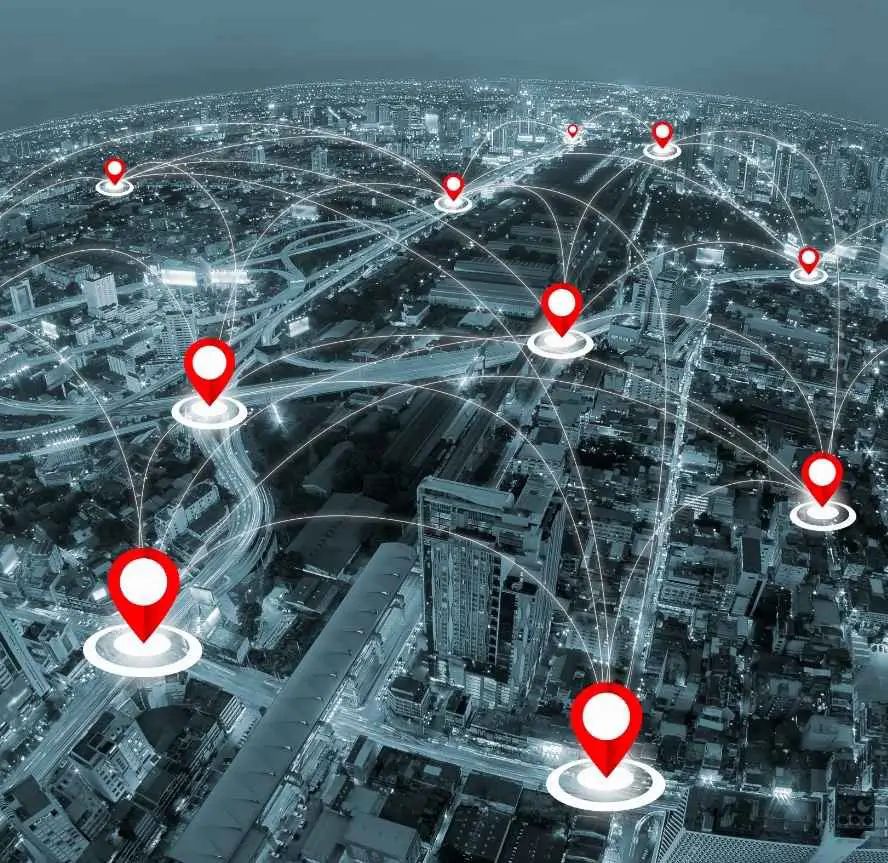
Computerbilities supports businesses in Raleigh, Cary, Durham and New York City. We agree which devices and services are monitored, who receives alerts and how issues are escalated.
Every published plan includes 24/7 automated monitoring of covered systems. Staffed support hours, response targets and escalation follow your selected plan and agreement. Monitoring does not mean a technician watches every device continuously or that every problem is detected and fixed immediately.
Use monitoring alongside maintenance, security controls and tested recovery. Each has a different role in keeping your business working.
Free 15-minute IT Priorities Call
What Are Network Monitoring Services?
Network monitoring collects health and availability information from supported, enrolled devices and services. Configured checks can help reveal a lost connection, limited capacity or a recurring performance problem.
Depending on the agreed tools and scope, checks may include device reachability, storage space, processor or memory use, service status and network-interface activity. An alert is a signal to investigate; it does not by itself establish the cause.
Define coverage before relying on it
Record the devices, locations, applications and checks included in the service. Confirm that enrollment, access and alert delivery work, and update the inventory when equipment or services change.
Understand the blind spots
Monitoring depends on connectivity, permissions, supported equipment and available telemetry. An internet outage can interrupt the monitoring connection itself. A passing availability check does not prove that every employee can complete a task. Report user-visible problems through your agreed support channel.
24/7 Automated Monitoring and Staffed Support
Automated checks can run outside office hours. The human response to an alert depends on coverage, severity and the escalation process in your agreement.
- Foundation and Blueprint: remote help for covered incidents during business hours; after-hours remote support is an available add-on.
- Leadership: 24/7 remote Level 1 intake and troubleshooting for covered incidents after activation. Higher-level escalation follows the documented process.
- Onsite work: scheduled during business hours at agreed locations, within the selected plan and scope.
Business hours are Monday–Friday, 8 a.m.–5 p.m. Eastern, excluding holidays. Compare support and monitoring coverage.
What happens after an alert?
- Review the signal and the affected business task.
- Assign priority using the agreed severity and support process.
- Investigate reachable systems and make authorized changes within scope.
- Escalate to the appropriate specialist, internet provider or application vendor when needed.
- Check the result and document any remaining work.
A response target is not a guaranteed resolution time. Equipment failure, vendor outages, access restrictions or separately scoped remediation can affect recovery.
What We Monitor in Your Network
The examples below describe possible monitoring checks. Your proposal identifies the actual devices, workloads, licenses and checks included; this is not a promise that every item is monitored in every plan.
Servers
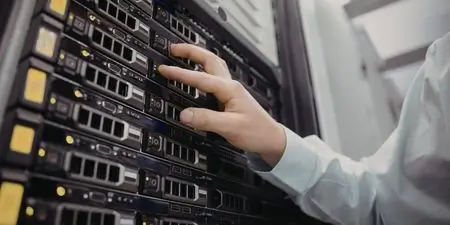
Supported server checks may include reachability, storage capacity, processor and memory usage, and selected service status. Application-specific checks need their own configuration and agreed scope.
Routers and Switches
Supported routers and switches can expose reachability, interface status and traffic information. The available detail depends on the equipment, permissions and monitoring configuration.
Firewalls
Agreed firewall checks can cover availability and selected health or event information. Network health monitoring does not replace managed threat detection, security investigation or a compliance review.
Wireless Networks
Supported access points may provide device status and client or traffic information. Coverage gaps, interference and cabling problems can require an onsite assessment.
Applications
Selected service or availability checks can help identify application problems. A successful check may not represent every user’s experience; describe the affected task when reporting an issue.
Websites
Website availability checks can be scoped where needed. A reachable homepage does not prove that forms, payments or other business functions work; those require separate checks.
VPNs and Remote Access
Agreed VPN and remote-access checks can help investigate connection problems. Usable access also depends on identity controls, devices, permissions and the user’s internet connection.
Cloud Infrastructure
Supported cloud checks depend on the platform, licensing and access available. Confirm which alerts come from Computerbilities, which come from the vendor and who owns escalation.
Key Features of Our Network Monitoring Services
Build the monitoring arrangement around these practical requirements. Available features depend on the supported systems and agreed tools.
Defined Checks
Useful Alerts
Performance Trends
Traffic Information
Authorized Remote Work
Documented Escalation
Maintenance Planning
Benefits of Network Monitoring for Businesses
Useful monitoring can give an investigation a clearer starting point, reveal recurring capacity problems and support maintenance decisions. The value comes from acting on relevant findings. It does not guarantee lower costs, uninterrupted service or protection from every attack.

Earlier Warning of Some Problems
A disk-space or availability alert can prompt investigation before a problem grows. Detection depends on the configured checks, connectivity and thresholds; some failures arrive without warning.

Evidence for Troubleshooting
Available performance history can help narrow down recurring slowdowns. The cause may lie in an application, device, internet connection or vendor service and still require investigation.

A Layer in Wider Security
Health monitoring complements security controls. Threat detection, log review and incident response depend on the separately defined security tools, responsibilities and escalation process.
Clearer Support Planning
Agree the covered assets, licenses, support hours and project exclusions. Compare the total scope and cost with your internal needs instead of assuming monitoring always reduces spending.
Input to Recovery Planning
Use monitoring information alongside backup, tested restores, vendor contacts and a business continuity plan. An available device alone does not establish that a business process can recover.

Why Businesses Need Network Monitoring
Consider monitoring when your team depends on shared files, business applications, phones or remote access and needs a clearer way to investigate interruptions.
- Which systems would stop payroll, estimating or customer service if unavailable?
- Which recurring problems need evidence rather than repeated guesswork?
- Who should be contacted, including outside business hours?
- What can your internal team handle, and where is outside support needed?
Use those answers to select the coverage and response arrangement. Explore managed IT support.
How Our Network Monitoring Process Works
Agree the business priorities, coverage and responsibilities before deploying tools. Revisit them as your environment changes.
Scope the Environment
Enroll and Check
Define Ownership
Investigate and Escalate
Review and Improve
Why Choose Computerbilities for Network Monitoring Services
Coverage you can compare
Our published plans distinguish automated monitoring, remote help, scheduled onsite support, security services and recovery testing. Review the plan comparison before agreeing coverage.
Responsibilities you can assign
Computerbilities handles contracted monitoring and support tasks. Your business supplies current contacts, authorizes changes and reports employee-visible issues. Vendors remain responsible for their own services; escalation follows the agreed process.
Next steps you can track
Service reporting can connect recurring problems with actions and decisions. Confirm the reporting schedule and service responsibilities in your agreement and our Services Guide.
Connect Monitoring to the Work Your Team Does
The right monitoring scope starts with the work a disruption would interrupt.
Construction, engineering and architecture
Map the systems used for drawings, estimating, accounting and field access. Connectivity and permission problems may affect office and jobsite staff differently.
Professional and other small businesses
Identify the applications, shared files, phones and internet services that support daily operations. Decide who owns each dependency.
Specialist or regulated environments
Confirm application-vendor restrictions, information-handling requirements and responsibility boundaries before adding checks or making changes. Monitoring alone does not establish compliance.
What Client's Say About us
Responsive Support for Our Team
We can always count on them to be responsive to our needs and do an excellent job.
Carol Cheek
Former Vice PresidentCimarron Homes
Consistent, Trustworthy IT Support
Computerbilities provides excellent response times for all IT issues while maintaining consistent and trustworthy staff.

Travis Woodie
COO/CFOMunicipal Engineering
With Computerbilities You Get What You Pay For
Computerbilities is not the cheapest IT company in the Triangle, but you always get what you pay for and with Computerbilities you get the best.

Jeff Gregorio
CFOWilliams Realty & Building
Reliability and Strong Communication
Reliability is the biggest benefit I have found since moving to Computerbilities. Whenever we call on Adam Pittman and his team, they always respond, and correct our issue immediately.

J.D. Locklear, JR.
PresidentAllied Fire Protection
Excellent Service and Attentiveness to My Account
I want to thank Computerbilities for your excellent service and attentiveness to my account. When needed, they always respond with a positive, helpful and professional attitude.

Tony Nocito
Managing MemberABCOV Companies, LLC
Computerbilities Saves Me Both Time and Money
Computerbilities has benefited my company tremendously by saving me both time and money. I no longer employ a full time IT person, but I am still able to contact someone at a moment’s notice.

Alicia Schautteet
Administrative OfficerSynecor
My Absolute Hero When It Comes To Technology
If there is a problem or issue, Computerbilities has a solution or an answer tailored to my specific problem. They are my absolute hero when it comes to technology.

Bill Aulicino
OwnerCrossroads European Automotive, Inc
It’s Simple; Call Computerbilities
It’s simple; If you want your network and computers to work, call Computerbilities. Because of them, I have a tailored solution for my business.
Nicole Mastmeier
OwnerBlue Diamond Jewelers
Discuss Your Network Priorities
Start with a free 15-minute IT Priorities Call. We will email a brief summary of up to three priorities or questions to investigate and a recommended next step. No cost, no obligation to purchase, and no system access required. Technical assessments and implementation work are separately scoped.
Book your free 15-minute IT Priorities Call. Existing clients should use their agreed support channel for incidents.
Serving business technology needs
Founded by Adam Pittman
FAQs About Network Monitoring Services
Network Monitoring Services for Businesses in
Raleigh, Cary, Durham, and New York City
Businesses in the Triangle and New York City can discuss network monitoring as part of a managed or co-managed IT arrangement. We confirm the supported systems, locations, remote access, vendor responsibilities and any onsite requirements.
Automated monitoring continues around the clock for covered systems; human support and escalation follow the selected plan. A new office or jobsite should be added to the agreed scope before relying on coverage.
Network Monitoring Services in Raleigh, North Carolina
For a Raleigh business, start with the systems behind daily work: file access, estimating, accounting, email and calls. Agree the checks, contacts and escalation process for those dependencies.
See our Raleigh managed IT services for the broader support approach.
Network Monitoring Services in Cary, North Carolina
For Cary teams, monitoring can support investigation of recurring connection or capacity problems. Confirm what is included and how alerts become tracked support work.
Network Monitoring Services in Durham, North Carolina
In Durham, Computerbilities helped D. W. Evans Electric unify its data and network using servers, switches and secure firewalls. The work also included networked printing, support for expansion, and help purchasing and setting up a VoIP phone system.
This confirmed project illustrates how connected systems support a growing business; it is not a measured monitoring outcome or uptime guarantee. Read about our Durham IT support.
Network Monitoring Services in New York City
For New York City businesses, confirm which systems can be monitored remotely and who handles local equipment, building access and internet-provider issues. Onsite support and vendor coordination follow the agreed locations and scope.
Not Ready To Call Us Just Yet
Get Your Free Report
Get our FREE report and learn the critical questions every construction and engineering business should ask before signing a tech support contract. Protect your business and avoid costly mistakes.
DOWNLOAD YOUR FREE COPY NOW