
Managed IT Services in North Carolina for Growing Businesses
When employees cannot open project files, email stops working, or no one knows who owns an IT problem, the cost reaches beyond the computer.
Computerbilities provides managed IT services for North Carolina businesses, with a focus on construction, engineering, architecture and related firms with 10–250 supported users. From our Cary office, we bring employee support, system maintenance, cybersecurity and technology planning into an agreed service plan.
Need an IT team to manage the day-to-day work, or support for your existing IT staff? We can help define the responsibilities, coverage and next steps.
Compare our IT plans or book a free 15-minute IT Priorities Call.
Request a free 15-minute IT Priorities Call
Tell us what is getting in the way. We will email to arrange a time. After the call, receive a brief written summary of up to three priorities or questions to investigate and a recommended next step.
No cost. No obligation to purchase. No system access required. Testing and detailed assessments are separately scoped.
An IT team for your business—or alongside your own
Managed IT is an ongoing service relationship: we look after the users, devices and systems named in your agreement, help employees resolve covered issues, and review what needs attention next.
For a business without internal IT, that creates a clear support route. For an organization with an IT manager, a co-managed arrangement divides responsibility between your team and ours.
Explore support for 10–49 users or managed and co-managed IT for 50–250 users. Supported users include office and connected field staff; they may differ from your total employee count. Plan selection depends on your needs, not headcount alone.

Protect your business and your clients’ information
A compromised account can put your company’s information, client documents and vendor communications at risk. Effective protection needs several layers working together:
- Account and device protection
- Monitoring and an agreed response process
- Staff awareness and phishing practice
- Backups and recovery preparation
Our plans define the tools and responsibilities included. These measures reduce risk; they cannot guarantee that a breach will never happen.

Reduce disruption and prepare for outages
If your estimating team cannot reach a drawing or accounting cannot process invoices, paid time and deadlines keep moving.
We monitor covered systems, maintain them within the agreed scope, and give employees a route to help. Monitoring can reveal issues that need attention, but it does not prevent every outage.
Automated monitoring runs 24/7. Human support hours and response targets depend on your plan and service agreement.

Connect office and field teams
Office and field staff need access they can use without exposing business systems unnecessarily. We help plan account permissions, device management and secure connections around the way your team works.
For Iron Horse Contractors, we refined tablet access after field employees struggled with VPN logins. Read how the field-access solution developed.

Plan technology around business growth
Adding employees, opening a location or replacing design workstations creates decisions about capacity, security and spending.
We help identify aging equipment, upcoming renewals and IT priorities. The frequency and depth of planning depend on your plan, with projects and major changes proposed separately.
The goal is a practical sequence of decisions tied to your business, rather than waiting for equipment to fail.
Partner with Computerbilities for Managed IT Services
What a managed IT service plan can cover
Your proposal identifies the supported people, devices, locations and systems. The services below show the work we can coordinate; exact inclusions, tools and responsibilities follow your selected plan and agreement.
See the Foundation, Blueprint and Leadership comparison for coverage and separately scoped work.

We use 24/7 automated monitoring for covered systems and manage maintenance within the agreed scope. Employees can report covered login, workstation and application issues through the IT help desk.
Foundation and Blueprint include unlimited remote support for covered incidents during business hours. Leadership adds 24/7 remote Level 1 intake and troubleshooting for covered incidents after activation. Response targets and escalation are defined in the agreement.

Foundation includes endpoint detection and response with security operations center monitoring, security-awareness training and quarterly phishing simulations, within the agreed scope.
Blueprint and Leadership add Microsoft 365 backup, email security and identity threat detection and response. These are available as add-ons with Foundation.
We define which accounts and devices are covered and who handles alerts and remediation. Explore our cybersecurity services. No combination of tools eliminates all cyber risk.

Help employees use email, shared files and collaboration tools while keeping account access and license administration organized.
Our published plans include Microsoft 365 support and license administration; subscriptions are separate. Microsoft 365 backup is included with Blueprint and Leadership and available as a Foundation add-on, within the agreed scope.
Migrations, major deployments and other projects are separately proposed. Explore Microsoft 365 support.
A backup matters when you can restore the information your business needs. We agree on protected assets, retention, capacity and recovery responsibilities, then monitor contracted backups and follow up on failures during business days.
Published plans include defined restore or recovery testing: an annual sample restore with Foundation, quarterly sample restores with Blueprint, and quarterly workload recovery tests with Leadership, each with its stated time allowance.
Review backup and disaster recovery services. Recovery scope and targets depend on your environment and agreement.
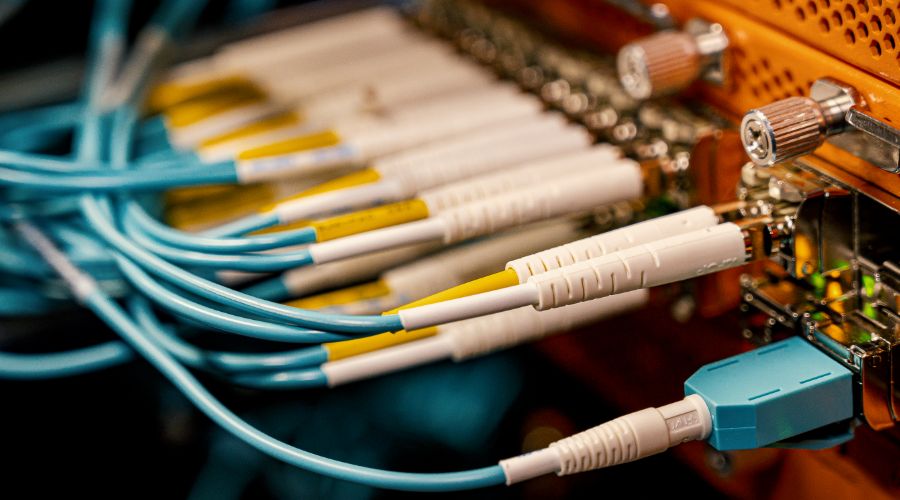
We help manage the covered network equipment and connections your business relies on, including configuration, monitoring and troubleshooting within the agreed scope.
For a new office, expanded Wi-Fi coverage or field connectivity, we can scope a separate project around the building, users and applications. Internet-provider outages and every performance problem cannot be prevented by monitoring.

Device, Hardware & Software Lifecycle Management
Keep track of the business devices and software you depend on, with maintenance and replacement planning for covered systems.
We help match proposed workstations to their intended applications and discuss employee onboarding, offboarding and access responsibilities. Hardware, subscriptions, major deployments and project work are separately identified in your proposal.

Strategic IT Planning & Consulting
Turn recurring IT concerns into a list of decisions your leadership can act on. Foundation provides quarterly operational reviews. Blueprint adds quarterly roadmap and budget reviews, a 90-day action plan and a 12-month replacement and renewal budget.
Leadership adds vCIO guidance and executive reviews for broader planning needs. The right level depends on your internal resources, systems and business priorities.
Industries We Serve
Our focus is businesses whose staff depend on project information, design applications and communication between locations. Your support plan should reflect those workflows and your clients’ expectations for handling their information.

Coordinate office and jobsite access to drawings, estimates and project records, with support for the devices and accounts your crews use.

Plan for design workstations, large project files and collaboration. Define the infrastructure and application-vendor responsibilities before problems interrupt a deadline.

Contracting
Help general and specialty contractors connect estimating, scheduling, field communication and office systems. Review access to customer and vendor information as employees and projects change.
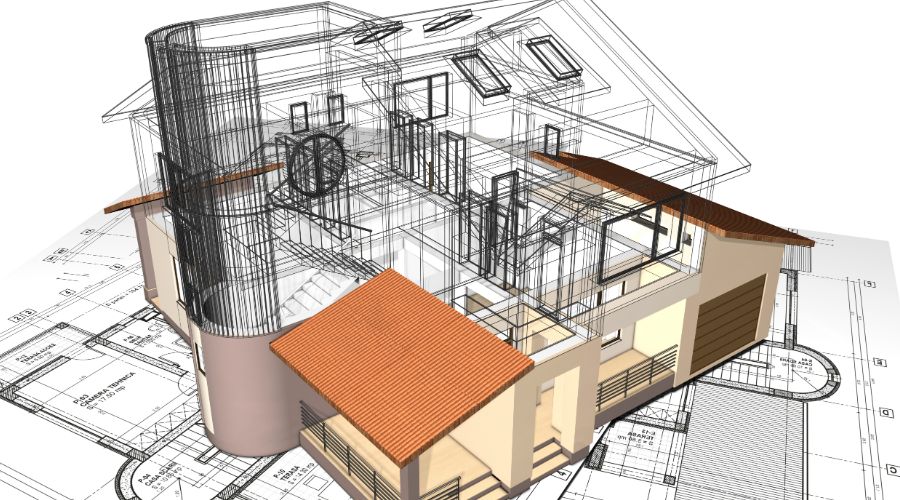
Match workstations and storage to design workloads, manage access to drawings, and plan backup and recovery for important project files.
Connect with Computerbilities for Managed IT Services

Locations We Serve in North Carolina
Our Cary-based team supports North Carolina businesses, with a focus on the Triangle. Discuss your office and jobsite locations with us so we can confirm remote and scheduled onsite coverage.
- Managed IT services in Raleigh
- Managed IT services in Cary
- Managed IT services in Durham
- Wake Forest
- Holly Springs
- Apex
- Chapel Hill
Onsite visits take place during business hours at agreed locations, with coverage determined by your plan.
Real client problems. Documented work.
Computerbilities was founded in 1995. These project accounts, confirmed by founder Adam Pittman, show the kinds of problems we have worked through with clients.
Iron Horse Contractors: field access and office Wi-Fi
We refined secure tablet access when field personnel had login difficulties, then used Wi-Fi heat mapping to plan coverage after an office move. Read the Iron Horse case study.
Allied Fire Protection: recovery and better-suited workstations
At the start of a relationship spanning more than 20 years, we backed up files, rebuilt the server and corrected firewall issues. Later, we specified replacement workstations for AutoCAD. Read the Allied Fire case study.
Cimarron Homes: clearer calls and more helpful support
We improved phone voice quality and provided better training and assistance for its four-user team. Read the Cimarron Homes case study.
These are individual client experiences. Current services and support coverage are defined by the agreed plan.

Frequently Asked Questions (FAQs)
About Managed IT Services in North Carolina (NC)

From an IT concern to an agreed service plan
1. Discuss what is getting in the way
Start with a free 15-minute IT Priorities Call. Tell us about your users, locations, existing IT support and the issues affecting work. After the call, we will email a brief summary of up to three priorities or questions to investigate and a recommended next step.
No cost, no obligation to purchase and no system access required. Testing and detailed technical assessments are separately scoped.
2. Agree on responsibilities and coverage
Compare Foundation, Blueprint and Leadership. Foundation centers on business-hours remote support; Blueprint adds broader scheduled onsite coverage and planning; Leadership adds activated 24/7 remote Level 1 coverage and executive guidance. All three have a five-user minimum.
3. Plan the handover and onboarding
Before service begins, agree on the covered users and systems, support contacts, response targets, access transfer, backup responsibilities and outstanding risks. Confirm what your current provider or internal team will hand over. Onboarding, major remediation, migrations and other projects require a separate proposal.
Business hours: Monday–Friday, 8 a.m.–5 p.m. Eastern, excluding holidays. All onsite support is during business hours; visits, locations and coverage follow the selected plan and agreement.
Book your IT Priorities Call or call 919-469-5060.
Not Ready To Call Us Just Yet

Get Your Free Report
Get our FREE report and learn the critical questions every construction and engineering business should ask before signing a tech support contract. Protect your business and avoid costly mistakes.
DOWNLOAD YOUR FREE COPY NOW